
Injecting Custom Values
For single fields (non-Field Groups), you may inject a custom value into your data field. This custom value will be mixed together with the generated values with a custom probability.
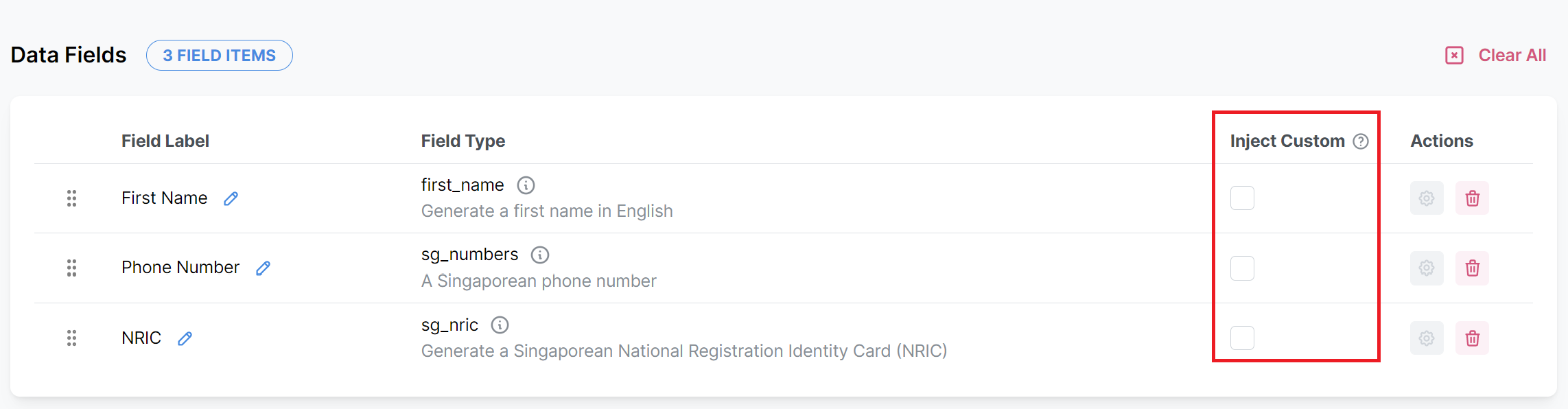
To do so, simply click the checkbox under the "Inject Custom" column next to the field type.
The following modal will appear. Next, select the Data Type of this custom value.
Data types available:
Blank: No value
Number: Integers and decimals (up to 5 d.p.)
String: Text values
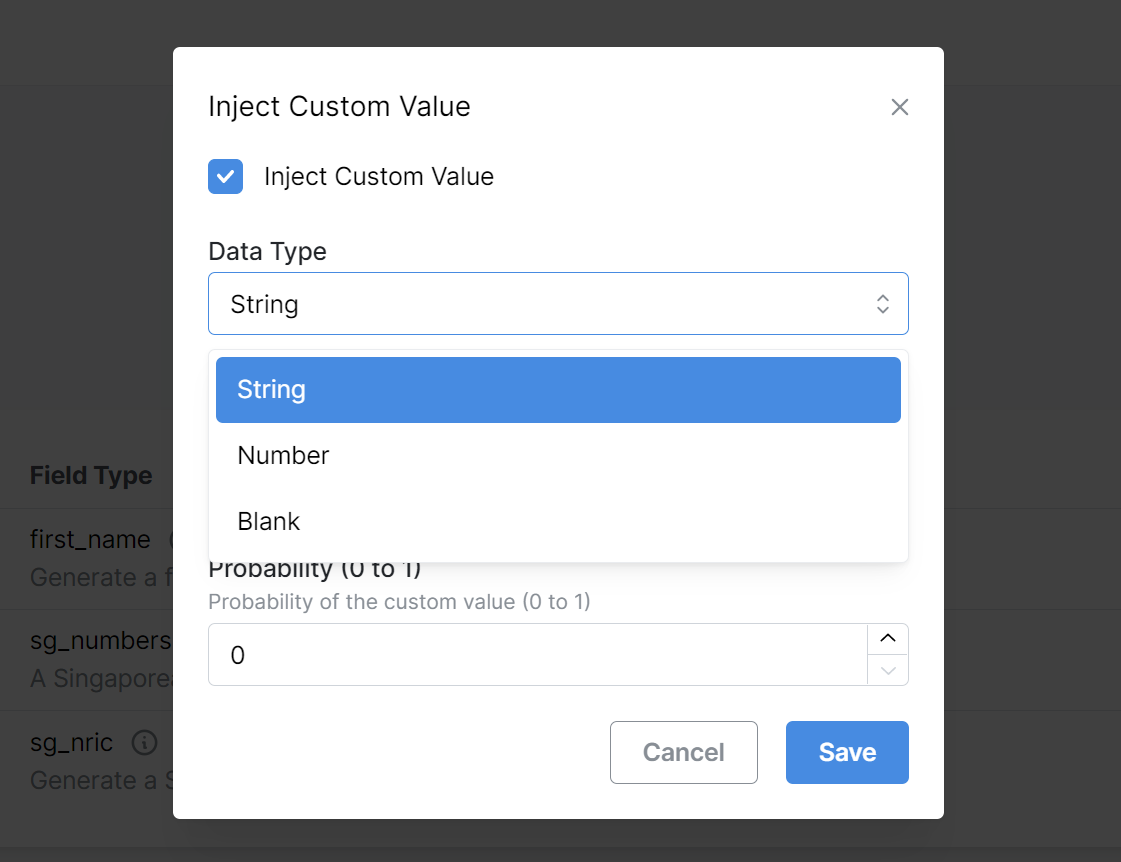
If you have selected String or Number, enter the custom value to inject into the mock dataset. For String, the input will be captured as a text. For Number, only integers and decimals (up to 5 d.p.) are accepted.
Lastly, enter the probability (a decimal value from 0 to 1). This probability represents the likelihood of the custom value appearing in the generated mock data.
What does 'probability' mean?
Probability of 1: All values in the column will be replaced by the defined custom value
Probability of 0: No values in the column will be replaced.
Probably of 0.5: 50% of values in the column will be replaced by the defined custom value.
Click "Save". The preview mock data will be updated accordingly.
Have some suggestions or feedback? Or were you unable to find the information you were looking for?
Please get in touch with us at [email protected], and we will be glad to help. 💙